
Buy, sell and find work on your campus.
Nestly is the marketplace and campus platform built for university students. Trade with people from your own university, find services and part-time jobs nearby, and do it all with verified profiles and safe meetups.
Free for students. Version 1.0.0, 3.7 MB, Android 7.0 or newer.
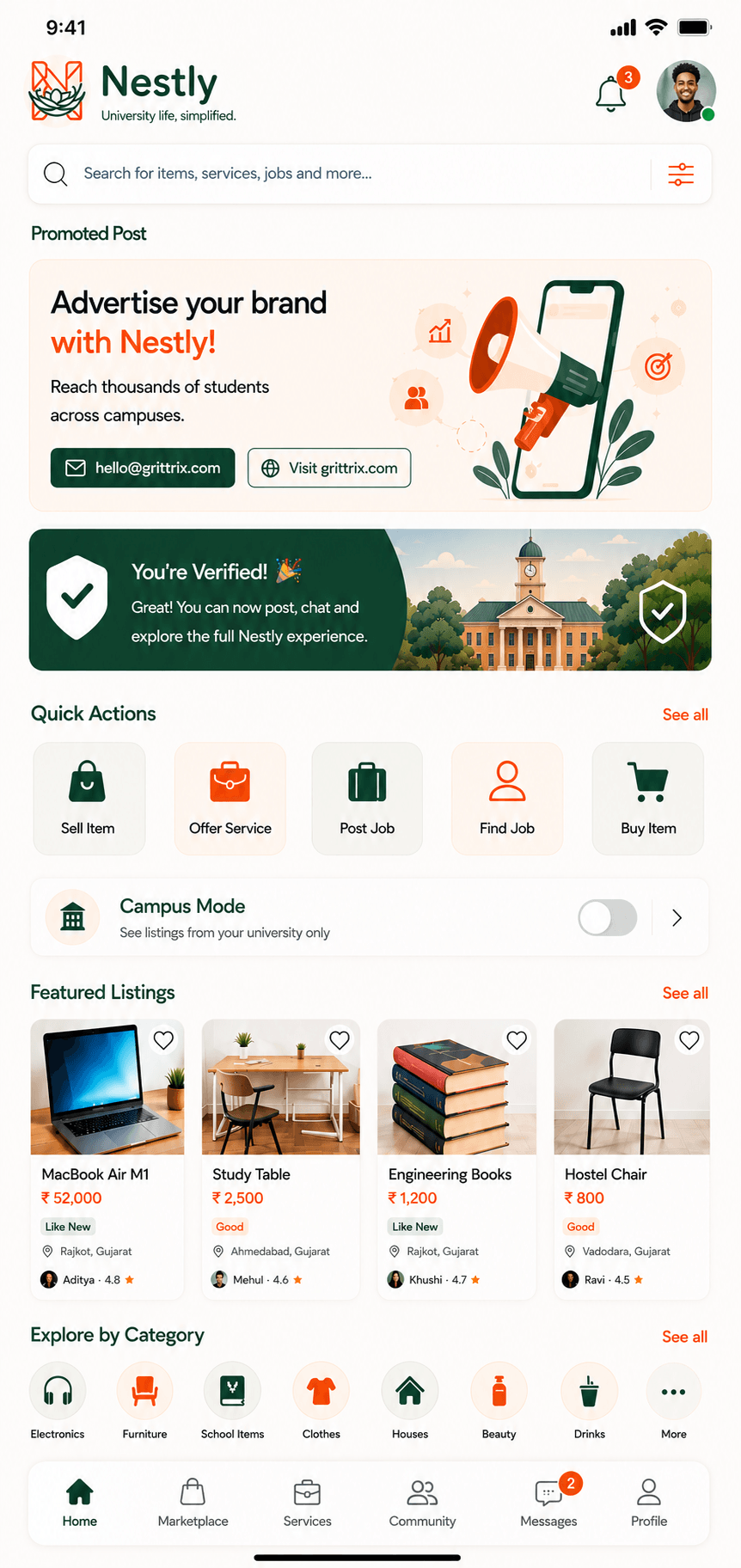
Everything a student needs, in one place
One account for the marketplace, services, jobs, Lost and Found and your campus community.
01
Buy and sell on campus
Textbooks, laptops, calculators, furniture, cycles and hostel essentials from students at your own university, with photos, condition and price.
Browse the marketplace02
Offers and reservations
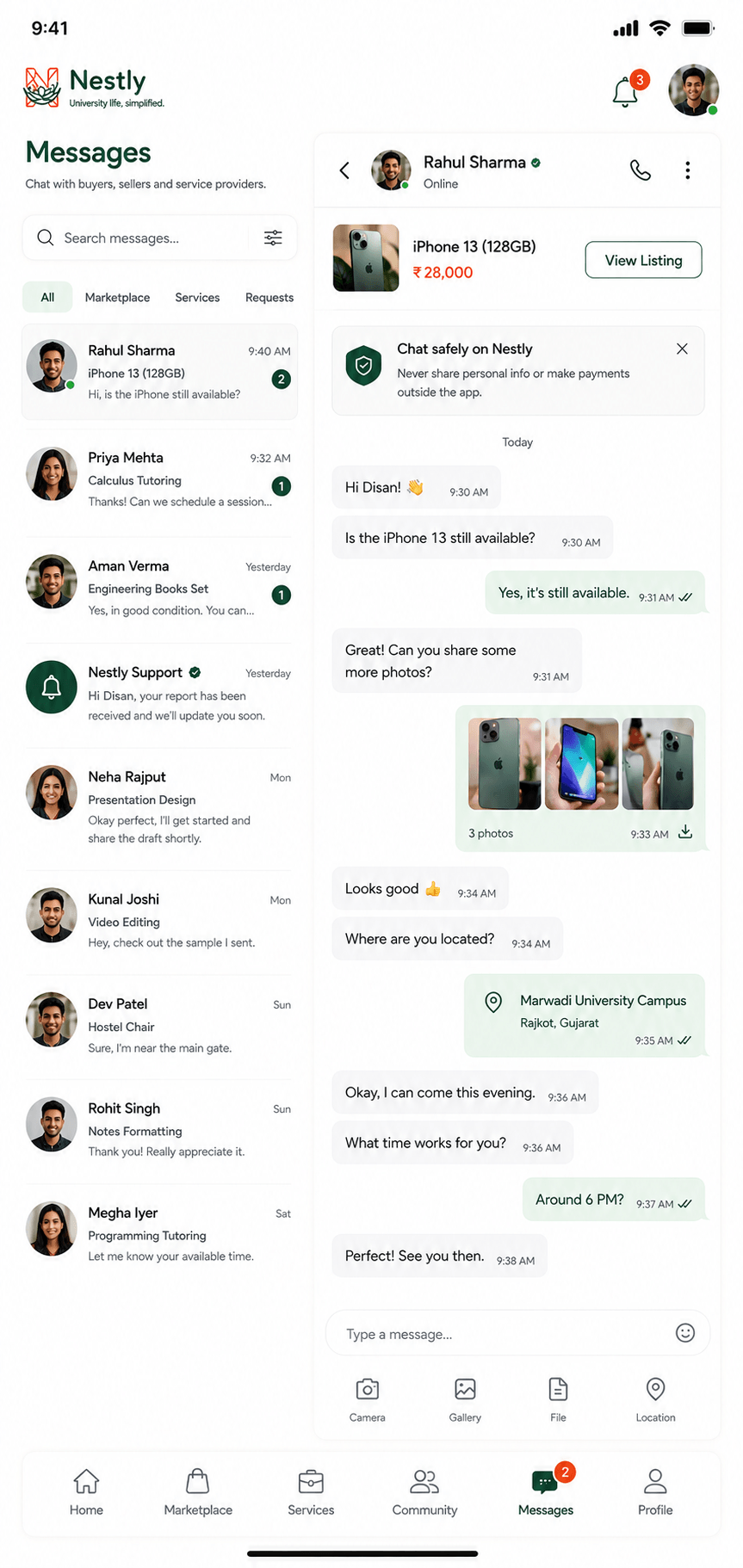
Make an offer, counter it and accept it inside the chat. An accepted offer reserves the item for you until you meet.
See listings03
Student services
Tutoring, notes, design, coding, photography and repairs from classmates. Post a request and let providers reply to you.
Find a service04
Jobs and gigs near campus
Part-time jobs, weekend gigs, internships and volunteering from local businesses and clubs. Apply in one tap through chat.
View jobs05
Lost and Found
Lost an ID card, keys or earphones? Found a wallet? Post it once and the whole campus can help return it.
Open Lost and Found06
Campus community
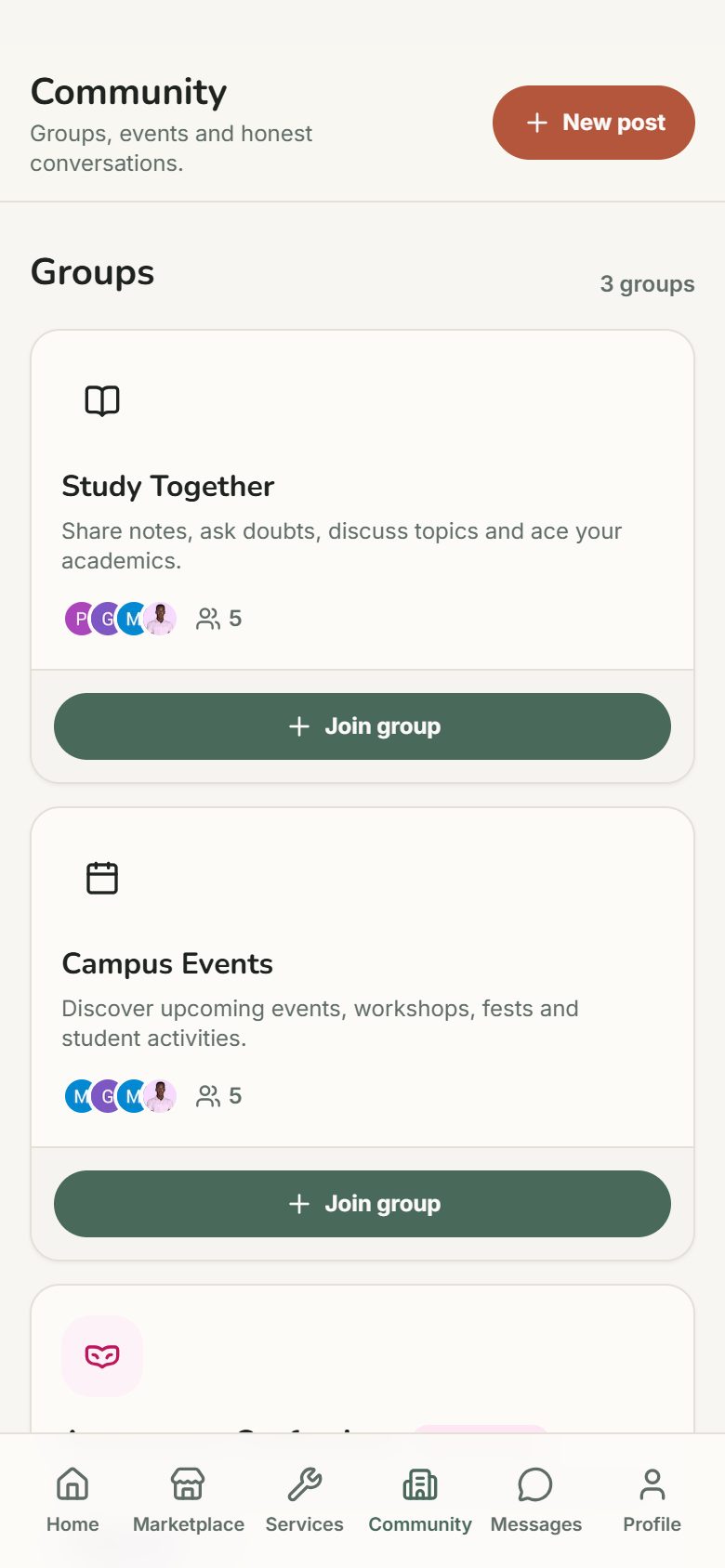
Study groups, events, polls and announcements from the people you share a campus with.
Join the conversationDesigned for your phone
Fast to browse, simple to post. Install the app or use Nestly in any mobile browser.
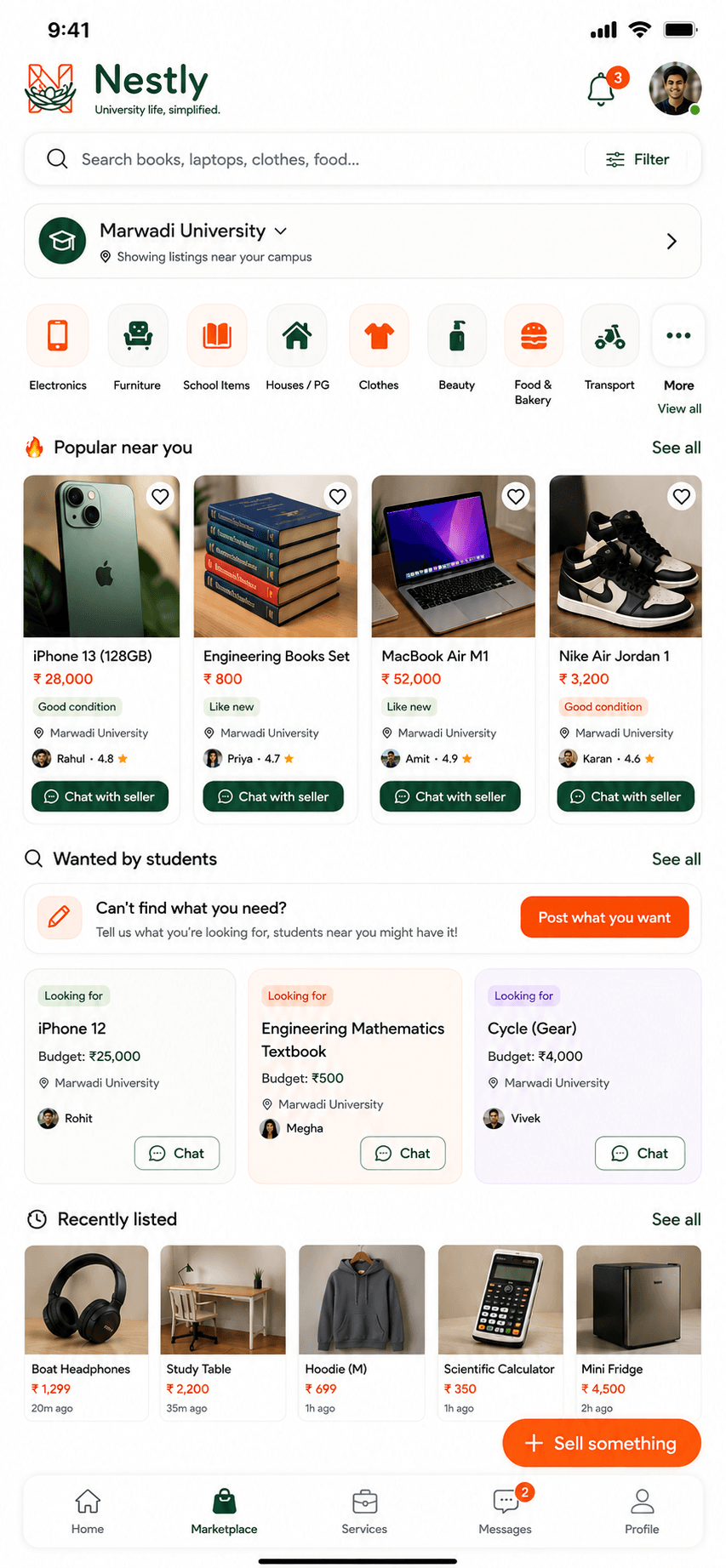
Built for trust
Group chats make it easy to get scammed and hard to find anything. Nestly is designed around two things: finding what you need quickly, and trading with people you can trust.
- Real students, real universities
- Every profile shows the student’s university. Verified students carry a badge on their profile and listings.
- Prices agreed on record
- Offers and counter offers happen inside the chat, so both sides can see exactly what was agreed.
- Safer meetups
- Suggest a time and an approved, busy place on campus directly from the conversation.
- Reviews you can trust
- Only a buyer and seller who completed a deal can review each other.
- Report and block
- Report a listing or a person in one tap. Our team reviews every report.
Get the Nestly app
Instant notifications for new messages, offers and job alerts, and one tap to open Nestly from your home screen.
On an iPhone or a computer? Nestly works in your browser at nestly.grittrix.com, and you can add it to your home screen.
How to install
- 1Tap “Download for Android” on your phone.
- 2Open Nestly.apk from your notifications or Downloads folder.
- 3If Android asks, allow installs from your browser, then tap Install.
Add Nestly to your home screen
No download needed. Nestly opens full screen with its own icon, just like an app.
On iPhone
- 1Open Nestly in Safari (or Chrome).
- 2Tap the Share button (the square with an arrow): at the bottom in Safari, at the top right in Chrome.
- 3Scroll down, tap “Add to Home Screen”, then “Add”.
On Android
- 1Open Nestly in Chrome.
- 2Tap the menu (⋮) at the top right.
- 3Tap “Add to Home screen” or “Install app”, then “Install”.
Where Nestly works
India
Started at Marwadi University, Rajkot, and open to students at every Indian university and college. Prices in rupees.
Uganda
Open to students at universities across Uganda, including campuses in Kampala. Prices in Ugandan shillings.
Each country is its own market. You only see listings, services and jobs from students in your country, and Campus Mode narrows them to your university.
Frequently asked questions
What is Nestly?
Nestly is a student marketplace and digital campus platform that simplifies university life. Students buy and sell items, offer and find services, get part-time jobs and gigs around campus, use Lost and Found and join their campus community, with verified profiles, in-app chat, offers, safe meetups and reviews.
What is the official Nestly website?
The official website is nestly.grittrix.com. Nestly is made by Grittrix.
Who can use Nestly?
University and college students. You can browse without an account. To sell, chat or apply for jobs, sign in with Google and add your university.
Where is Nestly available?
Nestly runs separate markets for India, with prices in rupees, and Uganda, with prices in Ugandan shillings. It started at Marwadi University in Rajkot, Gujarat, and is open to students at any university. You only see listings from your own country, and Campus Mode narrows them to your university.
Is Nestly free?
Yes. Posting listings, services, jobs and Lost and Found items, chatting and making offers are free for students.
How does Nestly keep buying and selling safe?
Profiles show the student’s university and a verified badge when confirmed. Prices are agreed with offers in the chat, an accepted offer reserves the item for one buyer, meetups are arranged at approved busy places on campus, and only students who completed a deal can review each other. Never pay in advance. Pay when you have seen the item.
How do I find a part-time job near my campus?
Open Jobs on Nestly, filter by part-time, gig, internship or volunteer, and apply through the chat. Turn on an alert to be told when a matching job is posted.
How do I install the Nestly app?
On an Android phone, open nestly.grittrix.com and tap Download for Android, then open the downloaded file and tap Install. It needs Android 7.0 or newer. On any other phone, Nestly works in the browser.
University life, simplified.
Join the students already trading and finding work on their campus.